
33 Excel Shortcuts That Turbo-Charge Productivity
If you spend even a few minutes in Excel daily, a massively underrated and quick way to increase your productivity is shortcuts. Shortcuts give you access to frequently used functions with a tap of a couple of quickly accessible keys instead of using the mouse and navigating the confusing and busy toolbar. And there's more - shortcuts make you look cool! When someone walks in as you use two shortcuts in quick succession, chances are you will blow their mind ?! Now, the list of shortcuts is long – there are thousands of them! However, a few of them punch way above their weight. Below are the 33 most-useful, easy-to-remember shortcuts that can save you a ton of time. (As with any skill, the best way to master shortcuts is through practice. Here’s a workbook to practice them on).
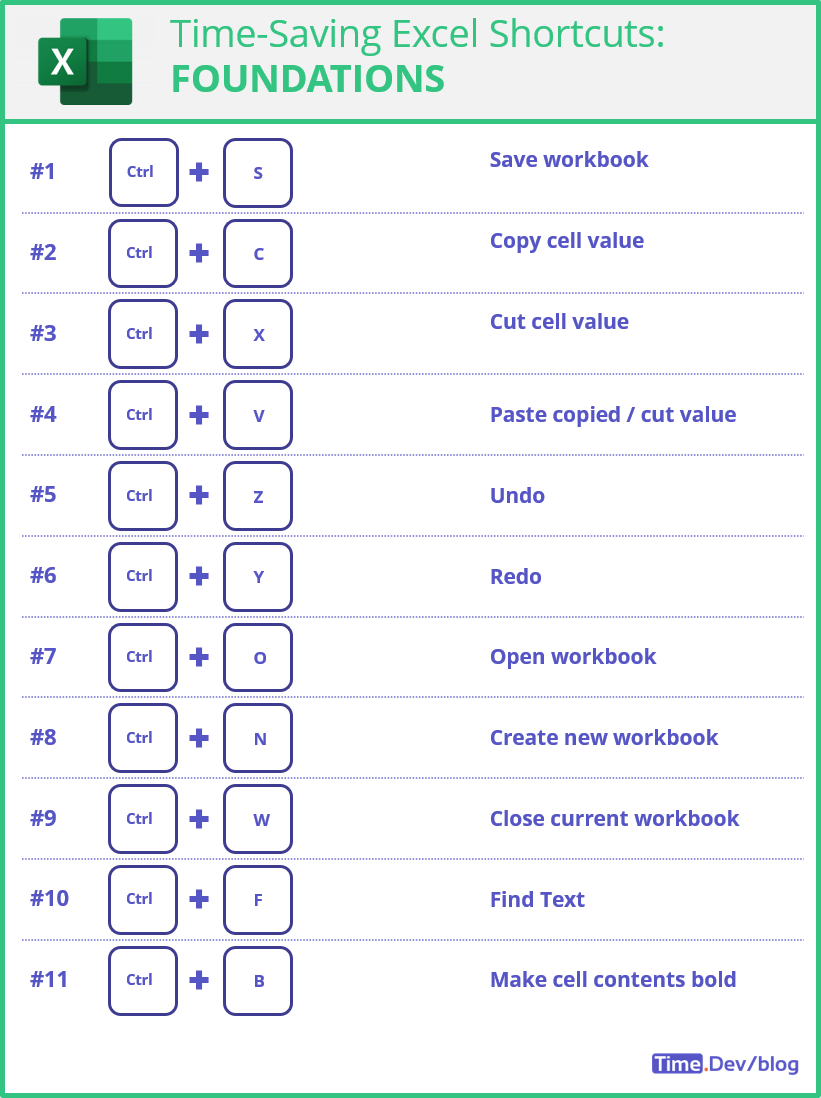
The Foundations:
These are the OGs, and unquestionably the most used Excel shortcuts. If you only have time to remember one set, this is the one.
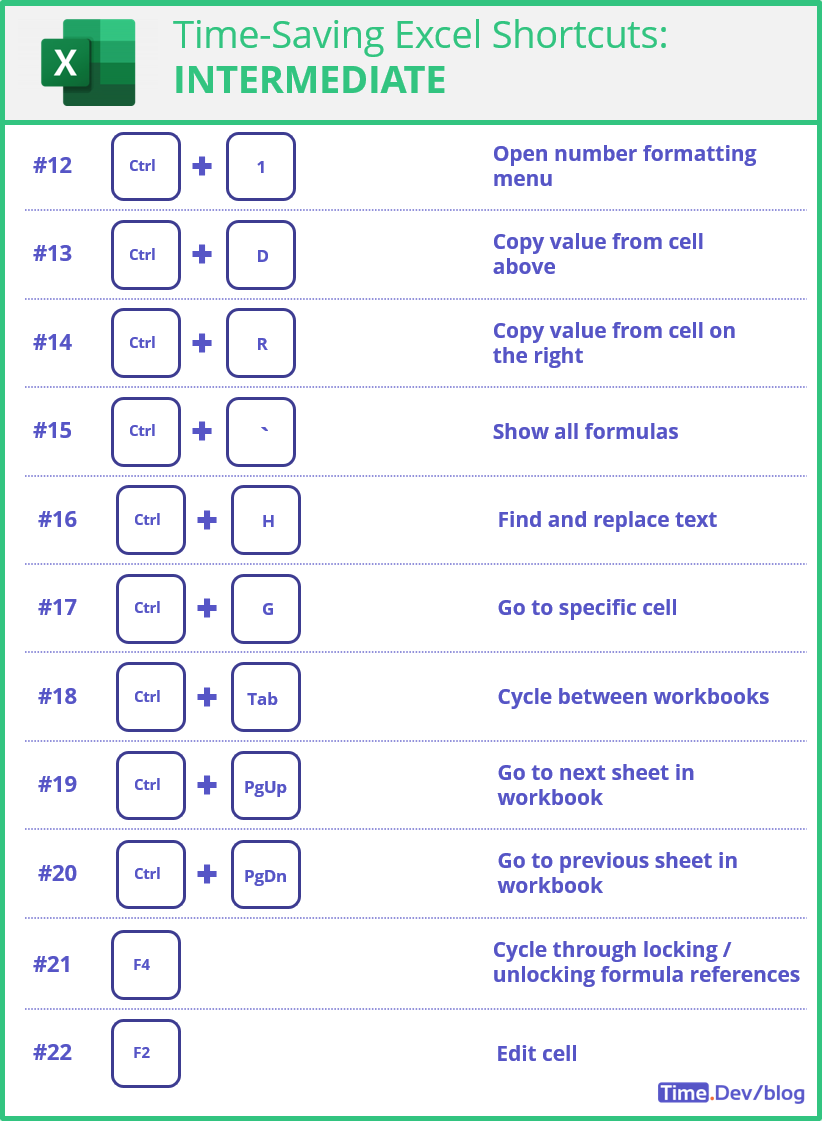
Intermediate:
We continue with two-key combos, and the following sets enables one to quickly access and manipulate data.
If you open an Excel sheet more than once a day, you should strongly consider learning these.
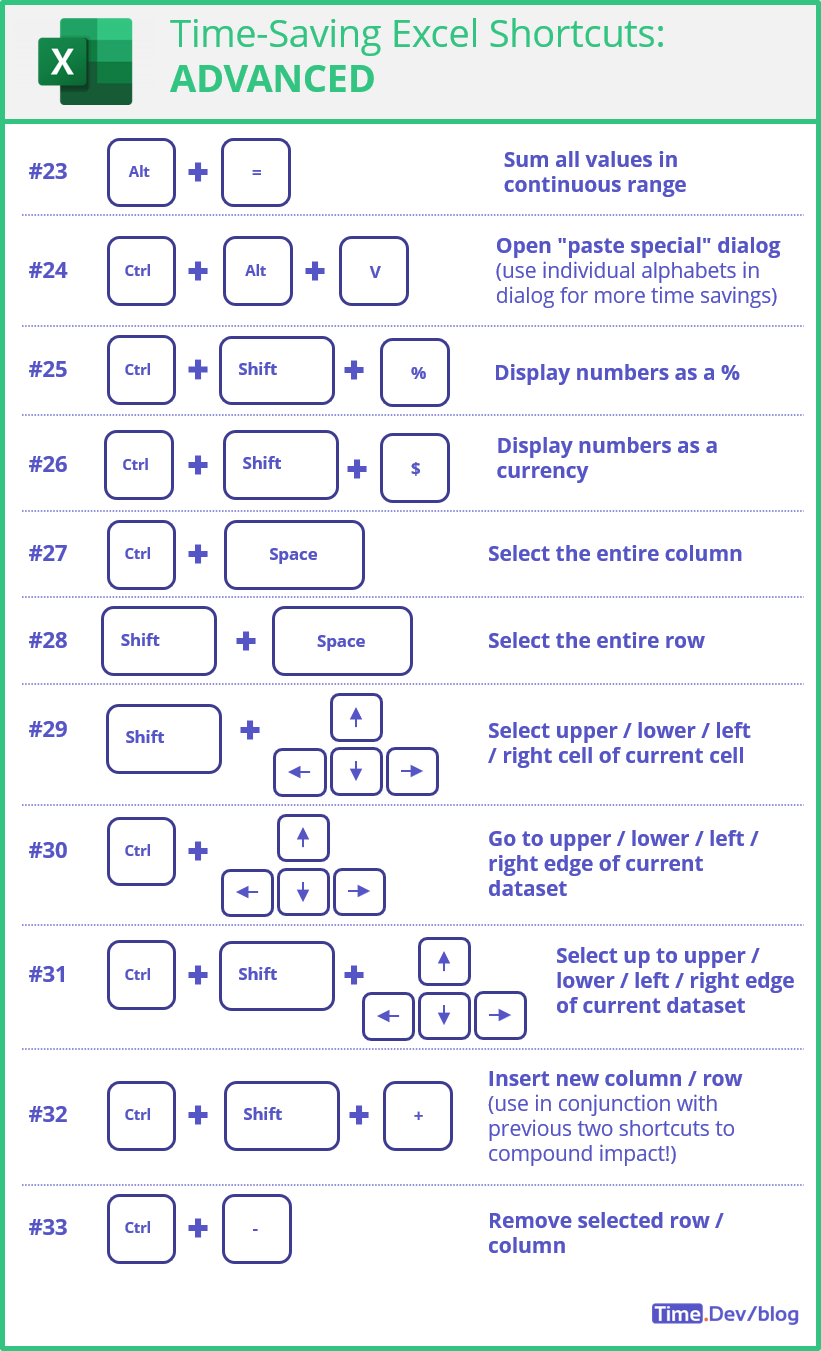
Advanced:
Ok, we're getting serious now. With predominantly three-key combos, this set helps you manipulate entire rows and columns significantly improving your Excel productivity.
These are the game changers, the needle movers, the difference makers.
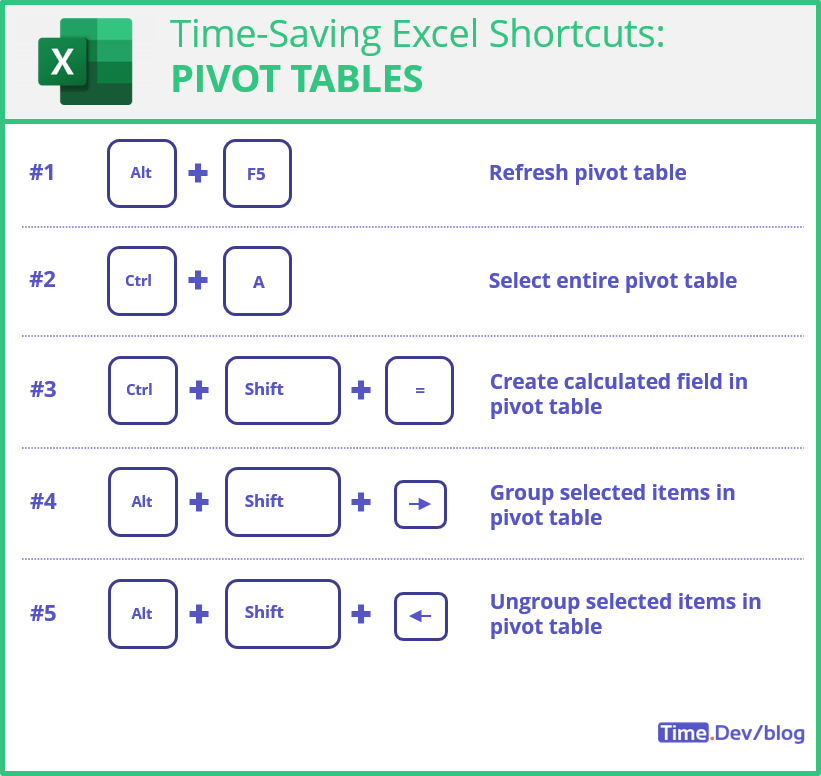
Bonus - Pivot Tables:
Pivot tables offer a quick way to summarize and analyze large amounts of data. The following are the most frequently used shortcuts when dealing with pivot tables.
 Again, practice makes perfect. So, here’s a 3-step plan to practicing these shortcuts:
- Come back to this list once a week for 4 weeks
- Commit to using shortcuts every time you use Excel
- Test yourself for 5-10 minutes once every 2 weeks for 8 weeks If you want to take your game to the next level and learn all the shortcuts under the sun, here’s the master list of shortcuts straight from Microsoft. All the best!! PS: Bookmark the page for future updates!
Discussion